
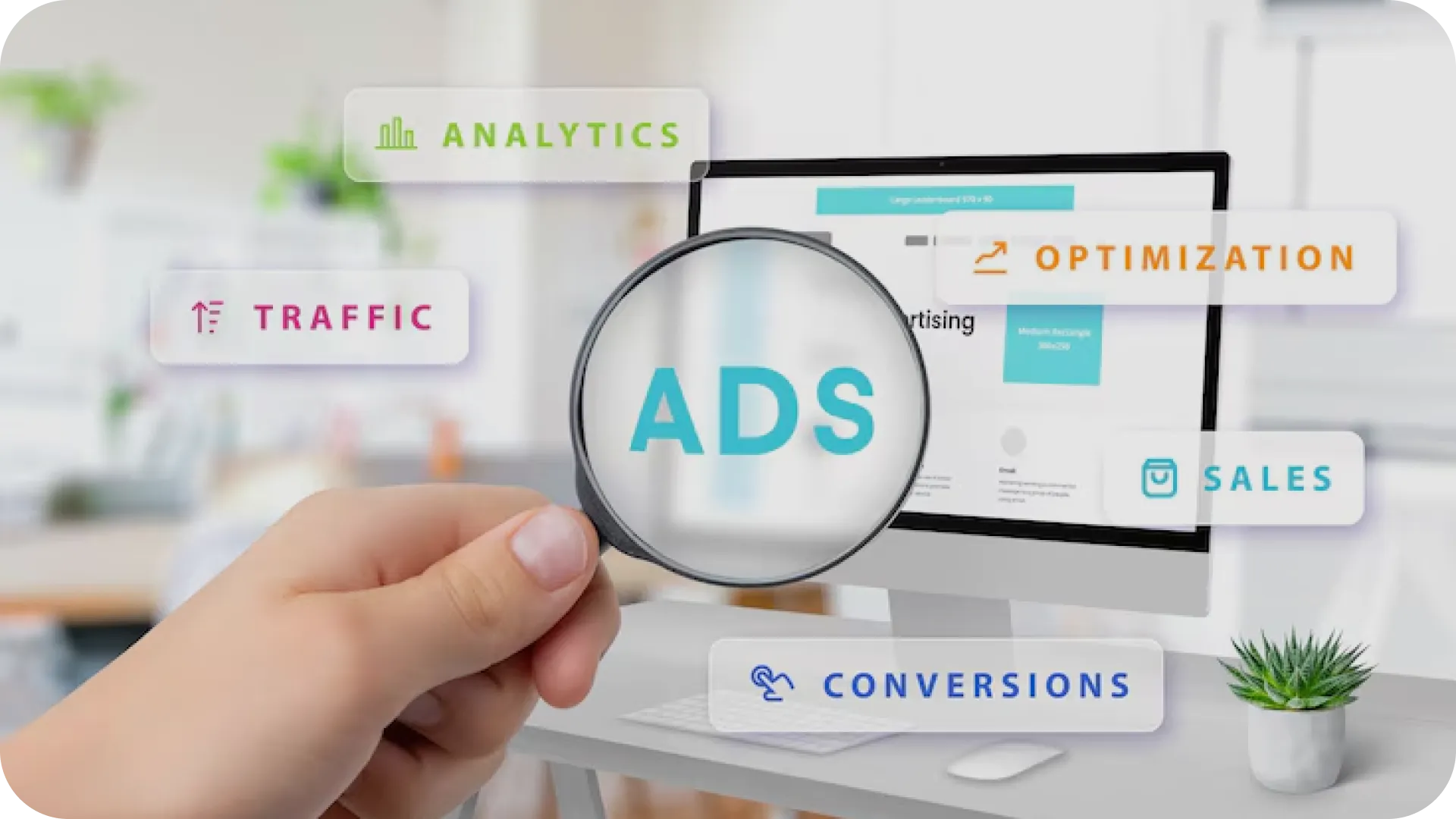
Are you looking to expand your buyer reach in the online market? Product Listing Ads will do just that for you. They appear directly in search engines with a visual element to engage customers. People browsing to buy a product see your product first. This drastically increases the chances of conversion. We have listed down the advantages of PLAs, followed by instructions on how to set and manage them to help you get started.
What are Product Listing Ads (PLA)?
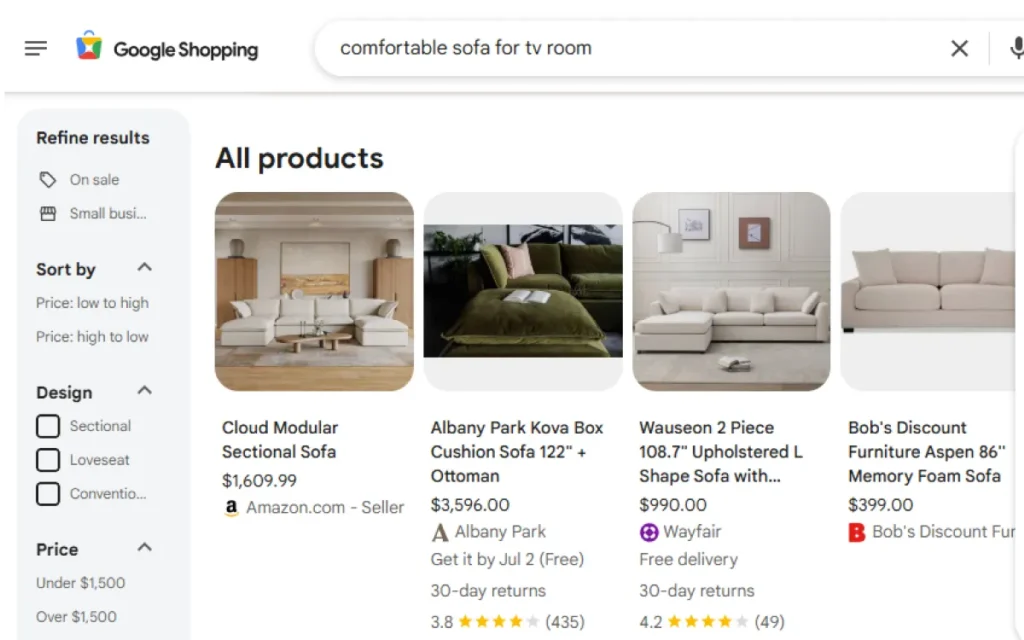
Product Listing Ads are a paid advertising service. The ad describes the product’s information in detail. It shows the image, pricing, and store names on the search engine. Unlike traditional ads, it uses your product feed instead of keywords. These ads are more prominent than regular social media posts. The product images are shot to catch the customer’s attention. Ads are shown on Google Shopping and Bing Shopping.
Benefits of PLA
Increased visibility
PLAS is usually placed at the top of Google SERPS. This makes it more visible to users, which is exactly the aim of the campaign.
Visual impact
Ads with visual elements like pictures and 5-star ratings are more attractive. They also tend to stay in memory. Textual or static social media may not achieve the same impact.
Higher intent traffic
Users who are searching for the product have the intention to buy. PLAs show all product details like price, store, and image. This makes it convenient for customers, increasing the likelihood of conversions.
Great ROI
Since PLAs work on the paid advertising format, investment costs are low. Cost is per click. This results in a lower cost per click than traditional ads and a higher return on investment (ROI).
Managed by experts
PLAs are listed side by side for product options. This can become a disadvantage as well. To counter this challenge, advertising experts can help you plan strategic ads. They can help target and test your ads to gain maximum performance.
Competitive Advantage
Product Listing Ads show your products alongside other companies. Your unique selling point shines here. This gives you a competitive advantage even with high-end brands.

How to Put Up a Product Listing Ad
Before you start, open Google Merchant Center. Make your profile by signing up. This is where you will enter all your product and business details. Make sure everything is accurate, especially website URLs.
- Next, finalise the content for the product feed. You will be required to add a product title, description, price, image URL, and availability. Try to have clear titles and a high-definition image to represent quality.
- For the next step, head on to your Google Ads account and link it with your Merchant Centre account. With this, Google Ads can now generate shopping ads.
- Now, click on the new shipping campaign to get started. Select the type of Google Ad you want. Choose the merchant centre feed and target country.
- You will now have the option to choose either Standard Shopping or Smart Shopping. With standard shopping, you will have more control over ads. In smart shopping, Google automatically manages bidding, targeting and ad placements. It also shows your ad on other platforms like YouTube and Gmail. This improves ad reach to new customers.
- Now, decide on the budget and think about your bidding strategy. You can choose between two options. Manual CPC or automated bidding. Manual CPC means you will make the biddings. Meanwhile, with automated bidding, Google sets the bids according to the latest price ranges in the market.
- Strategize on how you can get maximum results by categorising your products into smaller groups. You can group them according to brand, type, and price. It will help manage products and allow more spending on products that perform well.
- Keep checking the ad progress. You can refer to CTR rates, number of conversions, cost per click, etc. Adjust bids based on conversions. Update product feeds regularly.
Product Listing Ads Management
Ad management is crucial to keep it performing at its best. Here are a few guidelines you can use for your campaign management.
- Update product feed according to stock availability and changing prices.
- Use seasonal trends and promos to make your products stand out.
- Pricing tiers can promote bulk orders.
- Think about your strategy for executing your plan. Smooth out potential hitches.
- Experiment with images and titles to see which ones give the maximum response.
- Look at customer response and adjust the division of [products accordingly.
- You can always refer to a paid advertising agency to help scale your products, discuss campaign ideas and streamline existing ads.

FAQs
What is the difference between shopping ads and regular search ads?
Shopping ads feature product images with their related details, such as company names and prices. Search ads, on the other hand, are text-based and appear when specific keywords are searched.
Do Product Listing Ads also work for digital services and products?
No. PLAs are strictly for physical products that can be shipped or picked up. Services or digital products cannot be sold via PLAs.
Can I see individual performance for each of my products?
Yes. Google Ads gives detailed data for each product and even product group. It shows each of their clicks, conversions, and impressions.
Can I put up a PLA if I don’t have an online website?
PLAs require you to give a URL for your product in the ad. The ads redirect the customer to the owner’s website, where they can purchase the item. So, without a website, you will not be able to put up a PLA.
Can I control the schedule of when my ad appears?
Google Ads can be scheduled according to your plan. It allows you to set days and times you want your advertisement displayed.
Where will my Ads be shown?
Platforms covered by PLAs are Google Search, the Shopping tab, YouTube, Gmail and websites linked to the Google Display Network. Your ad will run on all or some of these sites.
Is Smart Shopping better than Standard Shopping?
They both serve different purposes. You can select Smart Shopping if you want to run things automatically. Smart Shopping also provides a broader reach. In contrast, Standard Shopping is more manually controlled. You set the tone of the ads. It gives you the advantage of a detailed report for ad performance.
How can I improve my ad performance?
Keeping your feed updated with high-quality images and competitive titles will help improve clicks and overall performance.
How frequently should I update the product feed?
If there are frequent changes in pricing, stock availability and product details, updates should be made as soon as possible. It is also wise to keep in check the performance of competitive products to update and manage product ads.


